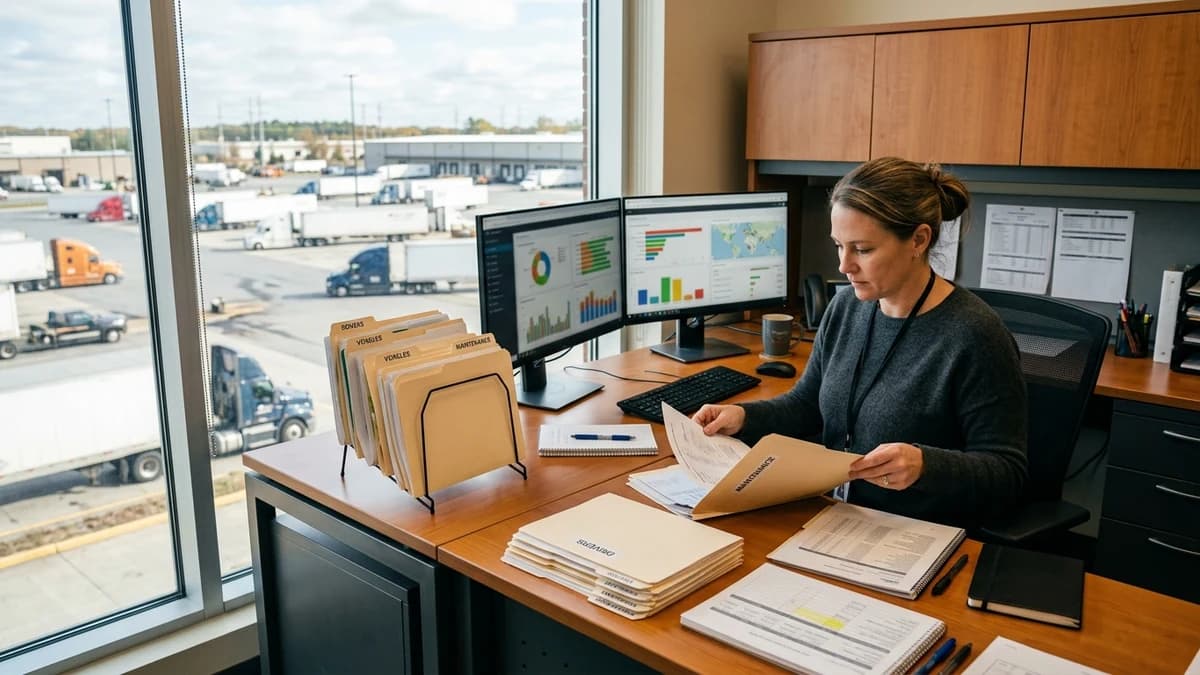
Fleet Administration
Coordinate driver onboarding records, credential reminders, maintenance schedules, and ELD support within your approved fleet process.
Service overview
A documented workflow, not an undefined task list
Fleet administration support coordinates the records and recurring follow-up around drivers, vehicles, trailers, maintenance events, registrations, permits, insurance documents, equipment, and approved ELD support. It gives the fleet manager a current administrative view while technical, safety, maintenance, and driver-management decisions remain with qualified owners.
The foundation is a controlled asset and driver register. Each record uses the identifiers already approved by the carrier and links to the source system, current document, effective dates, maintenance or renewal schedule, responsible owner, and open exceptions. Superseded records remain traceable so an updated file does not erase the history needed for review.
The VA can schedule approved maintenance appointments, issue reminders, organize work-order and vendor records, maintain equipment checklists, open support tickets, prepare scorecard inputs, and track registration or permit milestones. A reported defect, ELD issue, missed service, expired record, vehicle-status conflict, or driver concern moves to the authorized fleet or safety owner rather than being interpreted administratively.
A good fleet desk distinguishes scheduling from completion and documents from approval. An appointment on a calendar does not prove maintenance occurred; a scanned card does not prove it is current; a closed support ticket does not prove the driver’s issue is resolved. Closure requires the evidence your fleet manager defines for that workflow.
Who this service fits
- Fleets managing recurring service and renewal dates across many units
- Managers with vehicle, trailer, driver, and vendor records in separate systems
- Teams that need a consistent maintenance and support-ticket follow-up queue
- Carriers standardizing onboarding and equipment custody records
- Operations leaders who want clearer administrative evidence before review
What's included
How the service works
- 1
Build the controlled register
Confirm driver, vehicle, trailer, device, and equipment identifiers plus the authoritative source, dates, owner, and evidence required for each workflow.
- 2
Schedule routine work
Create approved reminders and appointments for maintenance, registrations, permits, documents, training, onboarding, or device support.
- 3
Collect completion evidence
Index work orders, receipts, inspection or service records, acknowledgements, and ticket results without interpreting technical fitness.
- 4
Route exceptions
Escalate missed service, conflicting dates, reported defects, unresolved ELD issues, expired records, and unit-identity mismatches to the proper owner.
- 5
Review the fleet queue
Provide a scheduled summary of upcoming work, overdue evidence, unresolved tickets, custody gaps, and items waiting for managerial approval.
Typical deliverables
- Vehicle, trailer, driver, and equipment administration register
- Maintenance, registration, permit, and credential calendar
- Vendor work-order and completion-evidence index
- ELD and fleet-system support-ticket queue
- Onboarding, offboarding, and equipment-custody checklist
- Upcoming, overdue, and unresolved fleet administration report
Useful operating measures
Your team chooses targets after reviewing its own baseline. These measures make the workflow visible without inventing performance promises.
- Scheduled items linked to an accountable asset and owner
- Completed work supported by the required source evidence
- Upcoming expirations reviewed within the carrier’s planning window
- Support tickets with a current status and next action
- Unit or device identity conflicts resolved by an authorized reviewer
Controls and decision boundaries
Vehicle fitness, repairs, inspections, safety decisions, driver performance actions, hours-of-service interpretation, procurement, vendor approval, and return-to-service authority remain with qualified carrier personnel.
Driver, location, diagnostic, insurance, and equipment data should be limited to approved systems and roles. The VA needs only the fields required to coordinate the administrative process and should not broadly export telematics or personal data.
The assistant does not mark a repair complete from an appointment, treat a closed ticket as proof of resolution, change an inspection finding, infer a vehicle is safe, or overwrite conflicting unit records.
Systems the workflow can support
Platform access depends on your licenses, permissions, configuration, and written procedures. Tool familiarity does not replace your approval or the system owner's controls.
Frequently asked questions
Can the VA schedule vehicle maintenance?
Yes, using your approved intervals, vendors, channels, and fleet-manager instructions. Technical scope, urgency, repair approval, and return-to-service decisions remain with qualified personnel.
Can the assistant manage ELD support?
The VA can open and track vendor tickets, organize screenshots or references allowed by policy, and coordinate follow-up. Hours-of-service interpretation and driver or safety decisions stay with authorized owners.
How are registrations and permits tracked?
Each item is linked to the correct unit, source document, effective dates, renewal owner, reminder schedule, and final evidence. Conflicts are escalated rather than silently corrected.
Can this service maintain driver scorecards?
The assistant can prepare approved source fields and flag missing data. Management defines the measures, validates the information, interprets results, and makes any driver decision.
What should we prepare for onboarding?
Provide the asset and driver identifiers, source systems, recurring calendars, vendor contacts, evidence rules, permission model, escalation list, and examples of routine and exception cases.
Related trucking support
Dispatch Coordination Support
Keep load information, check calls, appointments, and exception handoffs organized while dispatch decisions remain with your authorized manager.
Compliance Administration
Organize safety records, reminders, and document follow-up under the direction of your safety leader or another qualified professional.
Back-Office Operations
Move repetitive data entry, document control, invoicing support, and administrative follow-up through a documented daily workflow.
Build the role around your actual operation
Bring your recurring queue, systems, permission limits, review owners, and a few routine and exception examples. We'll use the consultation to define a practical starting scope.
Book a Free Consultation